Google Keep API: a personal-list alternative with MCP
The Google Keep API exists. The catch for a personal-list project is its documented audience: Google describes it as a way for enterprise administrators to manage Keep notes. That's a different starting point from copying a personal API key and adding groceries from your terminal.
| Route | Documented context | Credential or connection |
|---|---|---|
| Official Keep API | Enterprise administration | Service account |
| Keep through Gemini | Create and show notes and lists | Google Workspace connected to Gemini Apps |
| Community keep-mcp | Unofficial private API | Google master token |
| LystBot | Personal lists through REST, CLI and local MCP | LystBot API key |
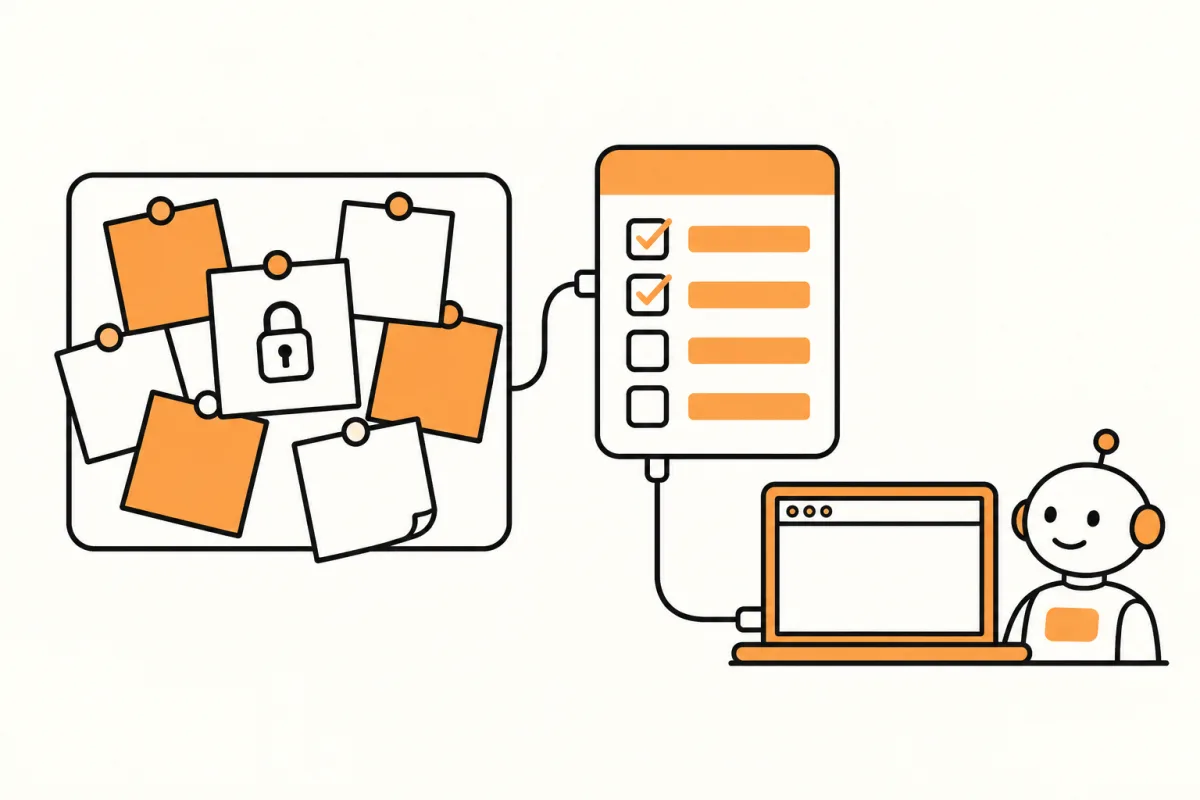
If you want Claude to update a household list, separate three routes before choosing one: the documented enterprise interface, Google's own assistant connection, and community software that uses a private interface. The official overview describes an enterprise environment. The gkeepapi project calls itself unofficial and says Google does not support or endorse it.
LystBot is an alternative for the list portion of that job. Its agent documentation provides an official REST API key, a CLI and a local MCP server. It doesn't turn your existing notes into LystBot lists. You can keep your notes where they are and try a separate list workflow first.
What the official API is for
Google's API guide addresses enterprise administrators. Its Java setup instructions include enabling the API and creating a service account. Those instructions are useful if you have the relevant enterprise administration role and requirements.
They don't establish a supported personal Gmail API-key flow. Calling the interface nonexistent would be wrong; presenting the enterprise setup as a ready-made personal integration would also mislead the reader. For a private account, the reviewed documentation doesn't provide the open personal access route this article is looking for. Check the administrative context before spending time on sample code.
For someone who just wants to add milk from a script, a service-account tutorial is a sign to pause and check fit. Write down the actual operation you need. Reading a household list and administering an organization's notes are different jobs, even if both involve HTTP requests.
Keep may already have the assistant route you want
Google documents a Gemini Apps connection that can create and show Keep notes and lists. The same support page says Google Workspace must be connected to Gemini Apps. If that documented workflow covers your needs, it may be a better fit than adding another list app.
Google also says that Assistant shopping lists and notes are now saved in Keep. That is a reason to inspect your existing assistant workflow before moving anything. A person who wants voice capture may have a different decision from someone building a terminal automation.
For Google Keep MCP searches, distinguish Google's published server coverage from community projects. The official Workspace MCP setup page lists services such as Gmail, Drive, Docs and Calendar; Keep is not in that documented list. Don't infer that a Workspace MCP connection includes it just because both products carry the Google name.
What the unofficial token route changes
The gkeepapi repository explicitly describes an unofficial client. The keep-mcp project says it connects through an unofficial private API and warns that a Google master token has full access to the account. That warning deserves to be read before you put a token in a connector configuration.
A master token is not the same credential model as a purpose-built list API key. This guide doesn't reproduce token extraction steps. If you choose that community route, read its authentication documentation and decide whether the stated access is acceptable for the machine running it. We aren't claiming a particular breach or defect; the project's own warning is enough to make access scope part of the decision.
LystBot's API key is also a secret and must be handled carefully. The practical difference established by its docs is an official interface designed for access to LystBot lists, rather than an unofficial connection to an existing Google account.
Test a list without moving your notes
Install the LystBot app and copy the API key from Settings, then AI Agents. With npx available in your terminal, run the documented commands:
npx lystbot login YOUR_API_KEY
npx lystbot lists
Use your own key in place of the placeholder. Login stores it locally in ~/.lystbot/config.json. Check that the lists returned by the second command match the app before making a change.
For a new grocery trial, use the CLI example below. If a list with this name already exists, inspect that list before creating or adding anything:
npx lystbot create "Groceries" --type shopping --emoji "🛒"
npx lystbot add "Groceries" "Milk, Eggs, Bread"
npx lystbot show "Groceries"
The point of this small test is to see exactly where the data goes. Open the phone app and compare all three item names. You have now tested a terminal-to-list operation without giving any connector your Google password or master token. The CLI article covers working with those lists directly.
Connect Claude only after reading the result
LystBot's MCP server starts locally with npx lystbot mcp. For Claude Code, the documented setup command is:
claude mcp add lystbot -- npx lystbot mcpIt runs over stdio and has no hosted MCP URL. A client that can only accept remote URLs cannot use this local setup directly. The developer documentation also documents REST for programs that need an HTTP interface.
Start the conversation by asking Claude to read your lists. Then ask it to read the grocery list by name. Once that agrees with the phone app, ask for one addition and inspect the saved item. This sequence gives you a clear point to stop if the assistant has chosen the wrong target.
There are 26 MCP tools, including reads, item changes, sharing, categories, attachments and reminders. The list is documented; it isn't a promise that a vague request will always select the right operation. Name the target and ask to review larger changes before they're applied. Our Claude grocery guide shows how that can fit a household routine.
Prefer a read request for the first HTTP test
For a script, use the exact documented read example:
curl https://lystbot.com/api/v1/lists \
  -H "Authorization: Bearer YOUR_API_KEY"
That confirms the endpoint and authentication without creating a record. When you later add writes, follow the current REST reference. New lists, items and reminders require client-generated UUIDs. A successful read does not prove a copied write payload is correct.
Keep the key out of saved public examples. If you're demonstrating the request to a colleague, leave the placeholder in the shared version. You can discuss the response shape without distributing a working credential.
Choose what to copy, and what to leave alone
There is no automatic note conversion or cross-app synchronization in this guide. Copy only the active checklist items you want to test. A paragraph of reference notes may belong with your other notes rather than being broken into artificial tasks. Preserve the original material while you decide.
For a shared shopping trip, choose one active list and tell everyone where it is. Running both apps is reasonable if they have different jobs; maintaining two competing versions of the same grocery list is harder to manage. Try one real errand before you move a month's worth of plans.
Our AnyList access comparison and OurGroceries access comparison cover other documented credential models. Use those details to make a small decision about one workflow, rather than treating a new connector as a reason to replace everything.
FAQ
Is the official interface available for a personal Gmail workflow?
The reviewed Google documentation addresses enterprise administrators. It does not establish the personal API-key route sought here. The official interface exists, but its documented context matters.
Can Gemini already work with my notes?
Google documents creating and showing Keep notes and lists through Gemini Apps, with Google Workspace connected to Gemini Apps. Check that route before choosing a separate tool.
Is a master token just another harmless configuration value?
The keep-mcp project warns that a Google master token has full account access. Treat it as a credential with the access described by that project, not as ordinary text to paste into a shared config.
Will LystBot preserve all my note content automatically?
No automatic import or note conversion is established here. The test is a manual copy of selected checklist items, with the originals kept available while you evaluate it.
For HTTP workflows, see the shared grocery API examples.