Best Free Grocery List App 2026: 5 Honest Picks
"Free" in the App Store usually means "free until you need the one feature that matters." I downloaded 11 grocery list apps last month and tested each for three weeks on an iPhone 15 and a Pixel 8, both on the same home Wi-Fi and on separate LTE connections. I measured sync speed with a stopwatch across 30 round trips per app and tracked every paywall prompt in a spreadsheet. Seven of those apps locked sharing, web access, or basic organization behind a subscription within the first week. Two showed full-screen ads after every interaction. The best free grocery list app shouldn't require an asterisk.
Five apps survived the filter. Here's how they compare.
TL;DR: Google Keep is the best free grocery list app if you're already in Google's ecosystem. OurGroceries wins for simple shared lists with voice assistants. LystBot is the pick for anyone who wants zero paywalls, fast sharing, and the option for API or AI integration. Apple Reminders works for all-Apple households. Listonic is decent but pushes premium hard. Full breakdown below.
Best Free Grocery List App: What "Free" Means in Practice
Before the comparison, a note on how these apps define "free." There are three models, and they're not equal.
Truly free, no paywall. All features available to all users. No premium tier exists. LystBot and Google Keep fall into this category.
Free with optional premium. The core app works without paying, but some features (web access, recipe import, ad removal) sit behind a subscription. AnyList, OurGroceries, and Listonic use this model. These are still useful without paying, but you'll hit walls.
Free trial disguised as free. The app works for 7-14 days, then locks core features. I excluded these because they're trials, not free apps.
A 2024 Sensor Tower report found that 95% of app store downloads are free apps, but over 60% of revenue comes from in-app purchases. The business model depends on converting free users. Knowing where each app draws that line tells you more than any feature list.
5 Apps Tested: Ranked
1. Google Keep
Price: Free, no premium tier Platforms: iOS, Android, web, Chrome extension
Google Keep isn't built as a grocery app. It's a notes app with checkboxes. But it works as a shopping list because of two things: it's on every platform, and sharing is one tap if both people have Google accounts.
What works: Create a checklist, share it with your partner's Gmail, both of you see changes. The web app means you can add items from your laptop. Google Assistant integration lets you add items by voice ("Hey Google, add bananas to my shopping list").
What doesn't: Sync speed is inconsistent. I measured delays between 1 and 15 seconds across 30 test syncs with no clear pattern. There's no aisle categorization, no auto-suggestions, no grocery-specific features. Checked items stay visible (you can hide them, but it's manual). If your partner doesn't use Google accounts, sharing requires workarounds.
Best for: People already in Google's ecosystem who want a grocery list without installing anything new.
2. OurGroceries
Price: Free with ads; one-time premium purchase removes ads Platforms: iOS, Android, web, Apple Watch, Wear OS, Alexa, Google Assistant
OurGroceries is the most widely compatible option I tested. It runs on everything, including smart speakers.
What works: "Alexa, add eggs to my grocery list" works out of the box. Sharing by email is simple. The app auto-categorizes items (produce, dairy, etc.). Sync clocked under 2 seconds in all 30 of my test rounds. A 2023 NPR/Edison study found 35% of US adults use a smart speaker daily. OurGroceries is one of the few free apps that taps into that behavior.
What doesn't: Ads in the free version are banner-style, not aggressive, but present. The interface looks like it hasn't been updated since 2018. Recipe features are basic (no URL import, no scaling). No API or automation options.
Best for: Families with mixed devices and smart speakers who want the simplest shared list that works everywhere.
3. LystBot
Price: Free, no premium tier, no ads Platforms: iOS, Android, CLI, REST API, MCP server
Full disclosure: LystBot is our product. I'll cover it with the same honesty as the others.
LystBot doesn't gate features behind a paywall because there is no paywall. No ads either. Every feature, including sharing, push notifications, and the full API, is available to every user.
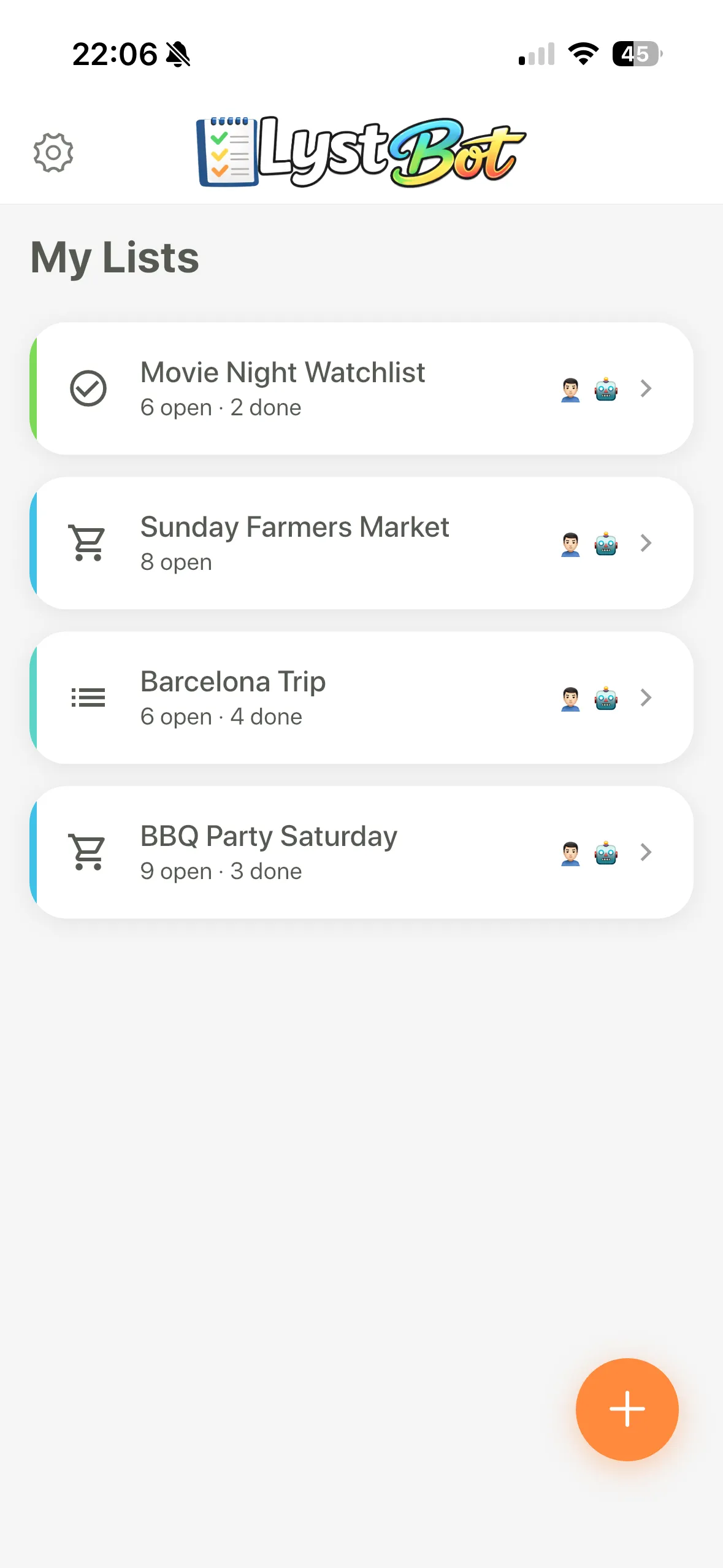
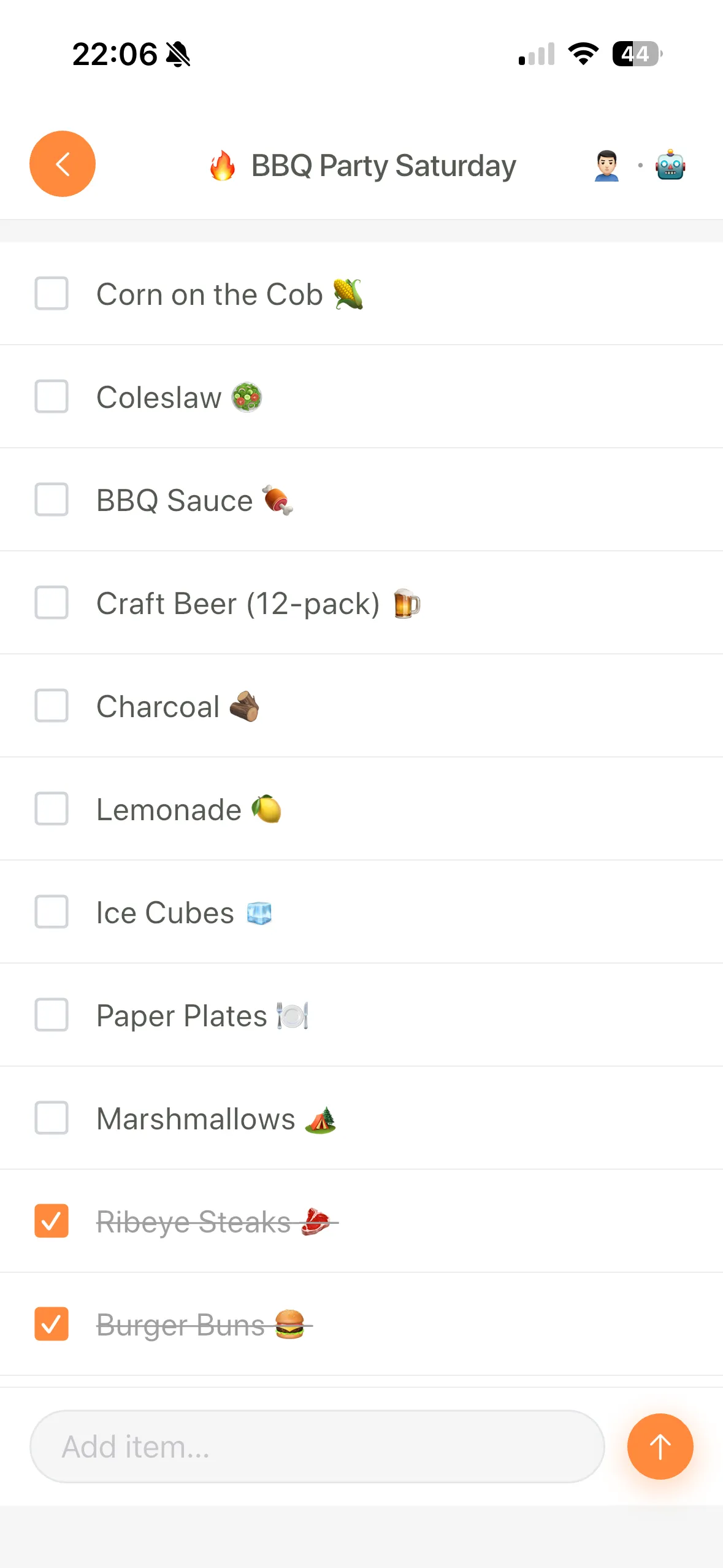
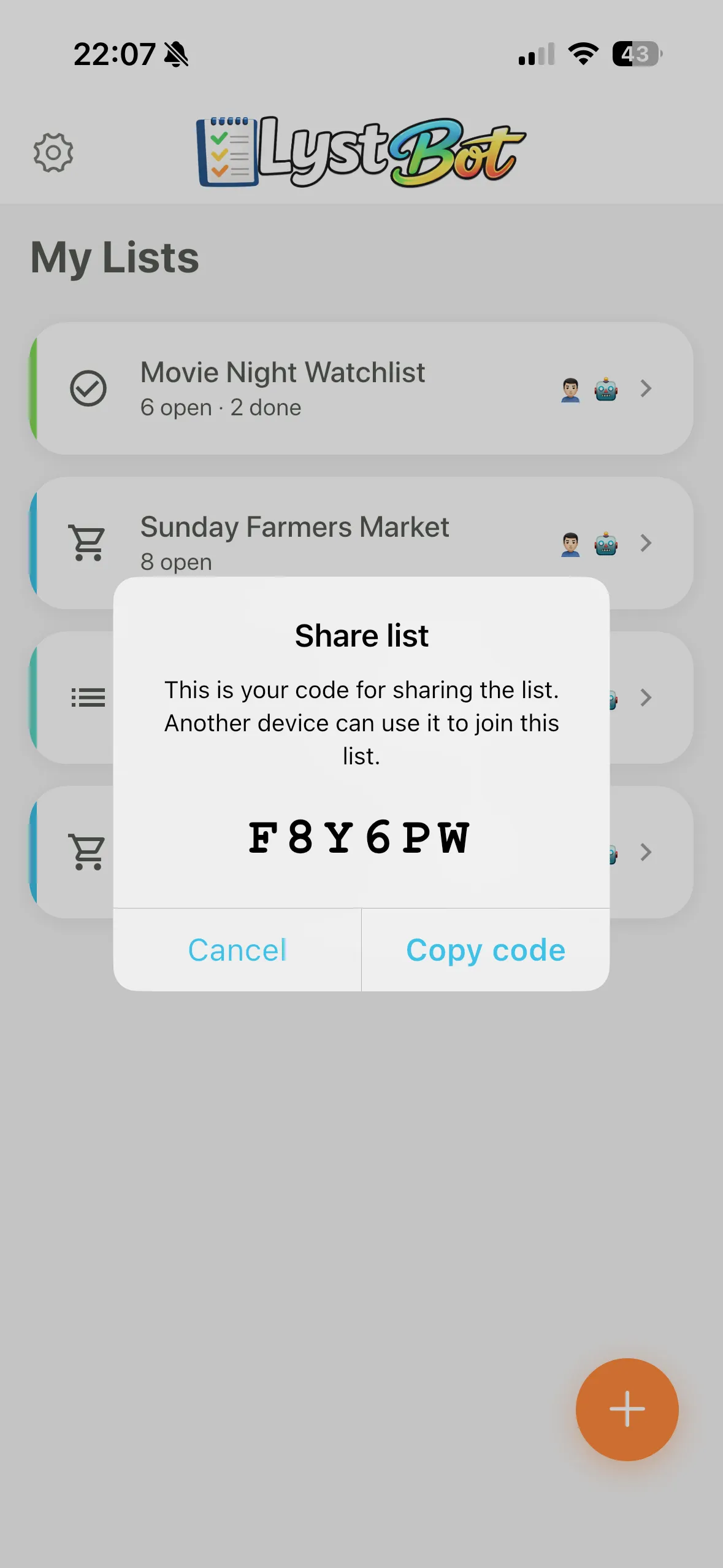
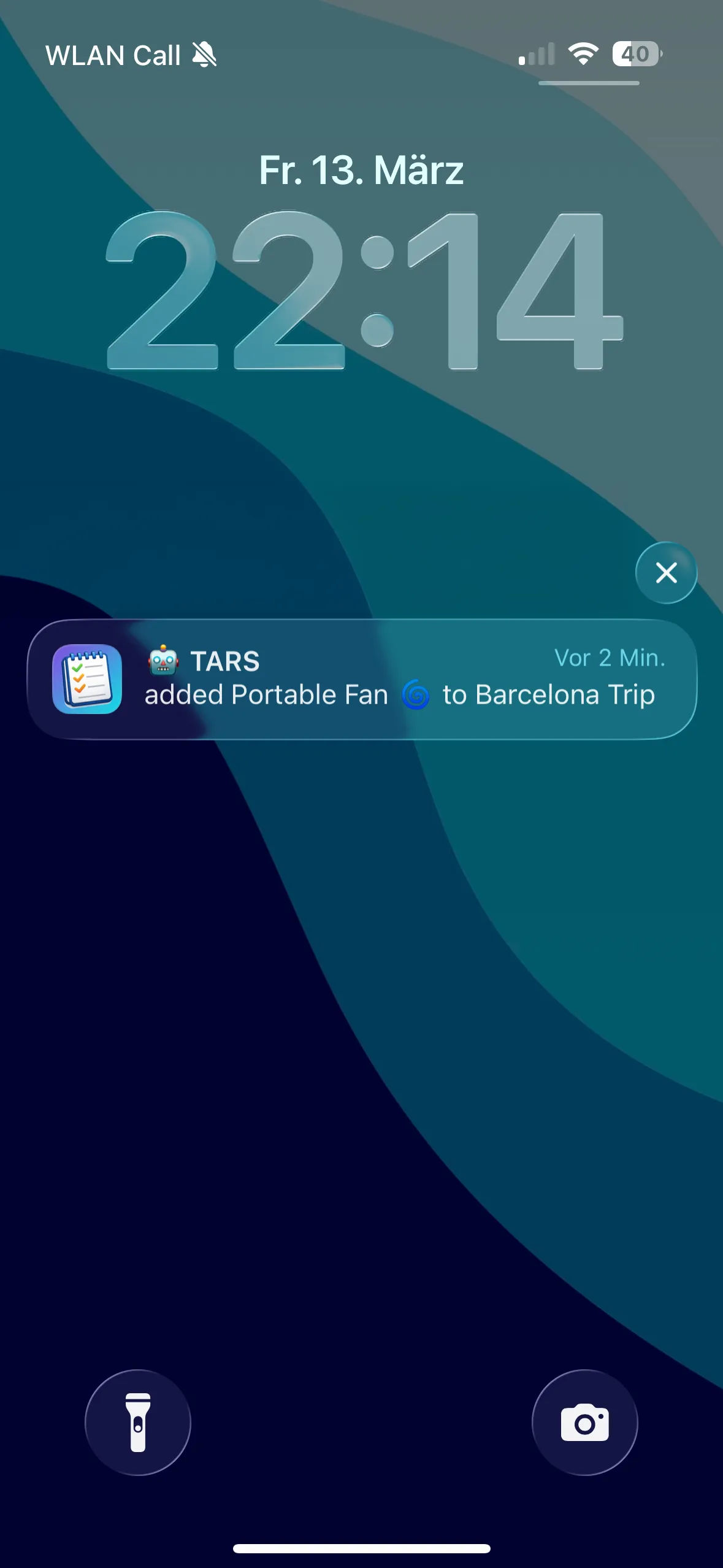
What works: Sharing uses a 6-character code (no email required, no account creation for the other person). Sync clocked under 2 seconds on both Wi-Fi and LTE in my testing. Push notifications fire when anyone changes the list. The app supports list types for shopping, todos, packing, and generic lists.
For power users, LystBot also has a REST API, a command-line interface, and an MCP server that connects to AI assistants like Claude. You can automate weekly staple lists with a cron job, manage lists from your terminal, or tell Claude "add the ingredients for chicken stir fry to my grocery list" and have items appear on your phone. We covered four real automation setups in a separate post.
What doesn't: No recipe management. No voice assistant integration yet. Newer app, so fewer polish details than OurGroceries or AnyList. No aisle-level organization (auto-categorizes by list type, not store layout).
Best for: Anyone who wants a genuinely free app with no limits, and power users who want API access, terminal tools, or AI integration.
Download LystBot free on the App Store and Google Play. Every feature is available from day one.
4. Apple Reminders
Price: Free (built into iOS/macOS) Platforms: iOS, iPadOS, macOS, Apple Watch, web (iCloud)
Apple Reminders got a grocery-specific update in iOS 17 that auto-categorizes items into sections like produce, meat, and bakery. If your household is all-Apple, this is a strong option with zero setup.
What works: Deep Siri integration. Shared lists via iCloud. Auto-categorization by grocery section is accurate for common items. The app is pre-installed, so there's nothing to download.
What doesn't: Android users can't participate. That's a dealbreaker for mixed-platform households. A Statcounter 2025 report puts global mobile share at roughly 72% Android, 27% iOS. Even in the US, mixed households are common. No API, no web access without iCloud, no voice support beyond Siri.
Best for: All-Apple families who want a grocery list with zero third-party dependencies.
5. Listonic
Price: Free with ads and premium upsells Platforms: iOS, Android, web
Listonic markets itself as a free shopping list with smart suggestions. Type "ch" and it suggests "chicken," "cheese," "chia seeds." The auto-categorization works well for common items.
What works: The suggestions speed up list building. The interface is modern and clean. Sharing works by link or email.
What doesn't: The premium upsells are aggressive. Recipe features, advanced sharing, and some organization options require a subscription. Free users see banner ads and occasional pop-ups. In my testing, the app prompted me to upgrade three times in the first session. That's more than any other app on this list.
Best for: Solo shoppers who want smart suggestions and don't mind upgrade prompts.
Best Free Grocery List App: Feature Comparison
Sharing: LystBot (share code, no account needed) > OurGroceries (email invite) > Google Keep (Google account required) > Apple Reminders (iCloud only) > Listonic (link/email)
Sync speed: LystBot, OurGroceries, Apple Reminders all under 2 seconds in my tests (30 syncs each, iPhone 15 + Pixel 8, Wi-Fi and LTE). Google Keep ranged from 1 to 15 seconds. Listonic averaged 3 seconds.
Cross-platform: OurGroceries (most platforms including smart speakers) > Google Keep (iOS, Android, web) > LystBot (iOS, Android, CLI, API) > Listonic (iOS, Android, web) > Apple Reminders (Apple only)
Voice assistants: OurGroceries (Alexa + Google) > Apple Reminders (Siri) > Google Keep (Google Assistant) > LystBot (none yet) > Listonic (none)
Automation/API: LystBot (REST API, CLI, MCP server) > everyone else (none)
Truly free (no paywall): LystBot = Google Keep = Apple Reminders > OurGroceries (ads, optional premium) > Listonic (ads, aggressive premium)
Best Free Grocery List App: Which One to Pick
Pick Google Keep if you're deep in Google's tools and want a free option without installing anything new. Not purpose-built for groceries, but it works.
Pick OurGroceries if voice assistants matter to your household and you want the broadest platform support. The free version is usable despite the ads.
Pick LystBot if you want a free app with no restrictions, the fastest sharing setup, and the option to automate or connect to AI tools. No other free option offers API access or MCP integration.
Pick Apple Reminders if everyone in your house uses Apple devices. Zero setup, good grocery categorization, no cost.
Skip Listonic unless you're a solo shopper who values smart suggestions and tolerates upsells.
The best free grocery list app is the one your household uses every week without hitting a paywall that forces a switch. For most people, that's OurGroceries or Google Keep. For power users who want more, LystBot fills a gap no other free option touches.