
10 Real MCP Server Use Cases for Personal Productivity

MCP (Model Context Protocol) is the USB-C of AI apps. One standard protocol, any tool. Anthropic shipped it, every AI company adopted it, and now there are hundreds of MCP servers floating around GitHub.
But what do you actually do with them?
Most "awesome MCP servers" lists read like a feature dump. Here's a server. Here's another server. Cool. This post is different. These are 10 workflows I actually use or have seen people use for real personal productivity. Not demos. Not proof-of-concepts. Things that save time on a Tuesday afternoon.
1. Grocery and shopping lists
MCP server: LystBot MCP
You're chatting with Claude about a recipe. You realize you need ingredients. Instead of switching apps, copying items, opening your phone:
"Add oat milk, tahini, and chickpeas to my grocery list"
Done. Your partner sees the updated list on their phone immediately because LystBot syncs across devices.
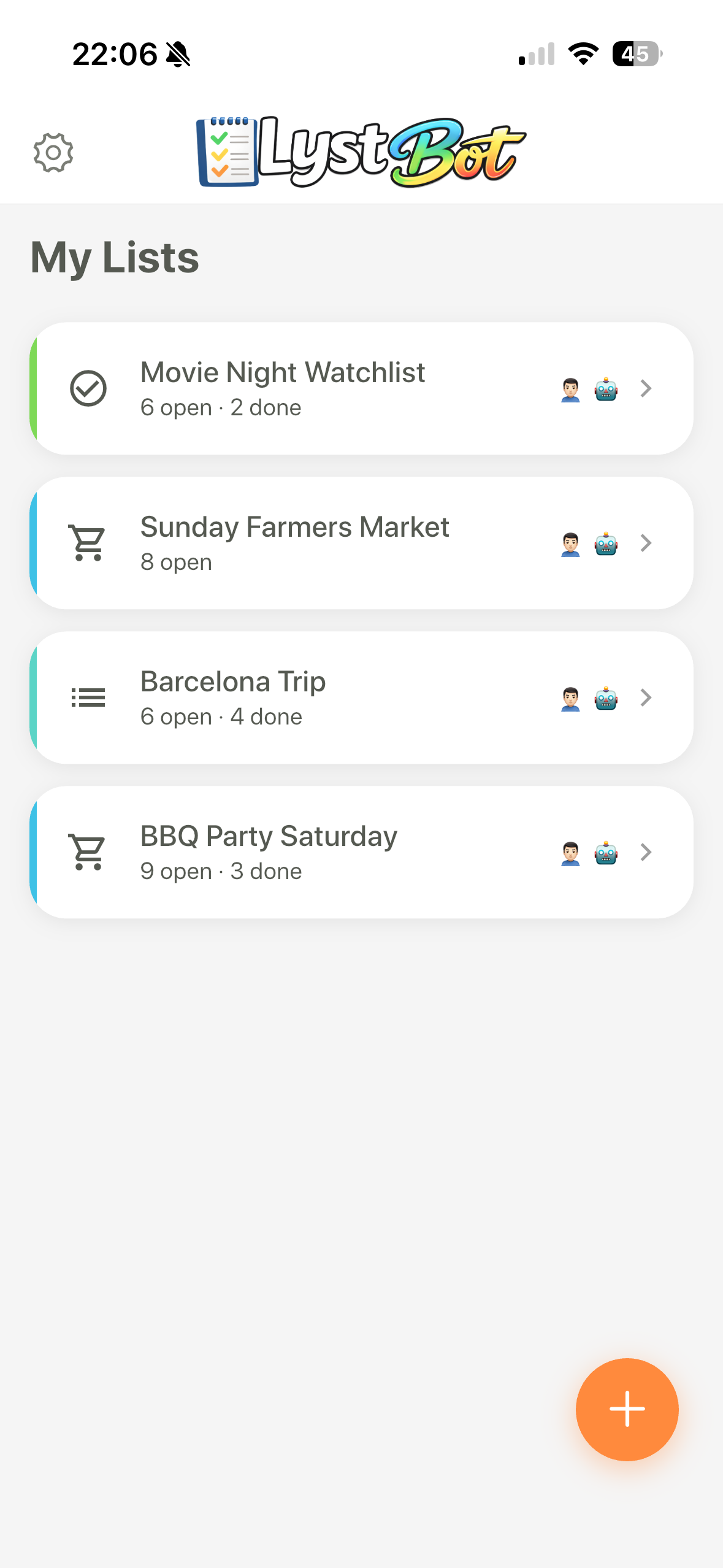
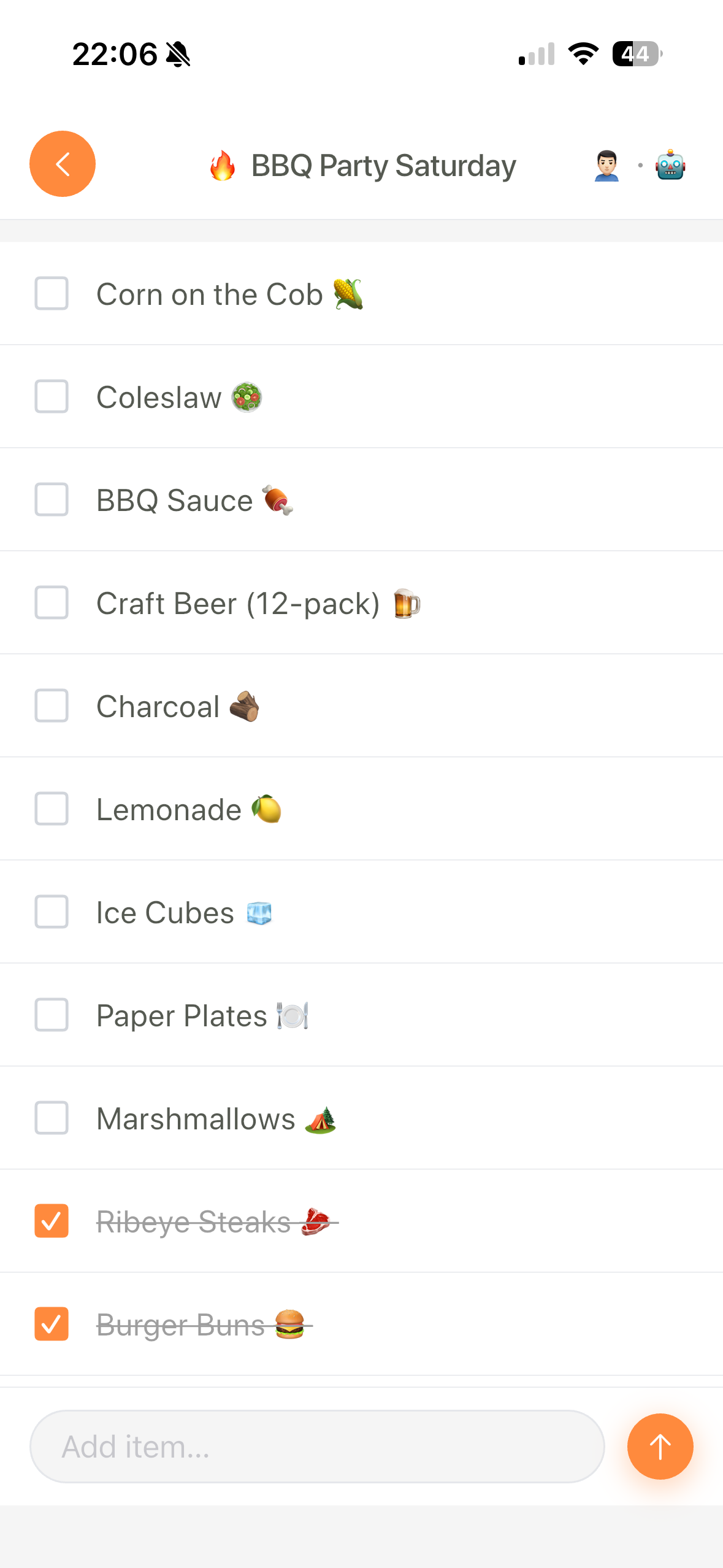
The reason this works so well: grocery lists are the kind of task you do while doing something else. You're meal planning, browsing recipes, or just remembering you're out of coffee. Having your AI assistant handle the list means you stay in flow.
We wrote a full walkthrough of this setup: Using Claude as your MCP-powered grocery assistant.
Full disclosure: LystBot is our product. But this is genuinely the use case that made me understand why MCP matters for normal people, not just developers.
2. File system management
MCP server: filesystem
Your Downloads folder is a disaster. You know it. I know it.
"Find all PDFs in my Downloads folder that are older than 30 days and move them to an Archive folder"
The filesystem MCP server lets Claude read, write, move, and search files on your machine. You can do bulk renames, organize folders by date, or find that one file you downloaded three weeks ago and forgot about.
The alternative is writing a bash one-liner every time. Which, sure, works. But describing what you want in plain English is faster when the task is ad-hoc and you don't want to debug find flags.
3. Calendar and scheduling
MCP server: Google Calendar MCP
"What's on my calendar next week? Block 2 hours for deep work on Thursday afternoon, somewhere between existing meetings"
This goes beyond "read my calendar." The useful part is the reasoning. Claude can look at your schedule, find gaps, and create events that actually fit. Rescheduling a meeting? Tell Claude what constraints matter (must be before Friday, at least 1 hour, not during lunch) and let it figure out the slot.
The catch: Google Calendar MCP servers vary in quality. Some only support read access. Check that yours handles event creation before getting excited.
4. Note-taking and knowledge base
MCP server: Obsidian MCP or Notion MCP
"Summarize my meeting notes from today and create action items as a new note linked to the meeting"
If you keep notes in Obsidian or Notion, an MCP server turns Claude into something like a research assistant that actually knows your notes. Ask it to find connections between topics, generate weekly summaries, or pull together everything you've written about a specific project.
Obsidian's local-first approach works well here since the MCP server reads directly from your vault without sending data to third-party services. Notion's official MCP server works too, but your notes go through their API.
5. Email triage
MCP server: Gmail MCP
"Show me unread emails from this week. Flag anything from clients. Draft a reply to the meeting invite from Sarah."
Nobody likes email triage. Letting Claude scan, categorize, and draft replies cuts a 20-minute morning ritual down to 5 minutes of reviewing what it found.
One word of caution: be careful with auto-sending. Having Claude draft replies is great. Having it send replies without review is how you accidentally tell your boss you'd love to work weekends.
6. Code repository management
MCP server: GitHub MCP
"What PRs in our repo need my review? Give me a one-paragraph summary of each"
GitHub's official MCP server lets Claude browse repos, read PRs, check CI status, and create issues. What makes this actually useful: summarization. A 40-file PR diff takes forever to read. Getting a one-paragraph summary of what changed, with the full diff still available when you need it, saves real time during review cycles.
Also useful for issue triage: "Show me all bugs labeled 'high priority' that have been open for more than a week."
7. Database queries
MCP server: SQLite MCP or Postgres MCP
"How many users signed up last month? Compare it to the month before and show the trend"
This one is mostly for developers and data people. Instead of writing SQL, describe what you want. Claude writes the query, runs it, and interprets the results.
It's not going to replace your BI tool for complex dashboards. But for quick ad-hoc questions about your data, talking to Claude beats opening pgAdmin and remembering which table has the signup timestamps.
8. Home automation
MCP server: Home Assistant MCP
"Turn off all lights downstairs and set the thermostat to 20°C"
If you already run Home Assistant, the MCP server gives Claude access to your devices. The interesting part is compound commands. "Set the house to movie mode" can mean: dim lights, close blinds, turn on the TV, set volume to 30%. You define what that means once in conversation, and Claude remembers.
Fair warning: the setup requires a running Home Assistant instance. This isn't a plug-and-play use case. But if you're already in that ecosystem, adding Claude as a voice is straightforward.
9. Travel planning
MCP server: Maps/Places API + LystBot MCP
"Find the top-rated coffee shops within walking distance of my hotel in Lisbon and add them to my travel list"
This combines two MCP servers. One searches for places, the other saves them to a list you can check on your phone while walking around a new city. The list syncs, so you can plan on your laptop and browse on mobile.
Travel planning is scattered by default. You've got tabs open for flights, hotels, restaurants, activities. Having Claude pull it together into one shareable list cuts through the chaos.
10. Personal finance tracking
MCP server: Google Sheets MCP or spreadsheet MCP
"Look at my expenses spreadsheet. How much did I spend on groceries this month? How does it compare to last month?"
If you track spending in a spreadsheet (and a surprising number of people do), an MCP server turns Claude into an analyst. Ask for spending breakdowns, trends, or anomalies. "Did any subscription charge more than usual this month?" is the kind of question that takes 10 minutes in Excel and 10 seconds with Claude.
The limitation: this only works if your data is already structured. Claude can't read your bank feed directly. You need the spreadsheet.
Getting started
You need three things:
- Claude Desktop (or another MCP-compatible client)
- An MCP server for the tool you want to connect
- A config file that tells Claude where to find the server
The config lives in claude_desktop_config.json. Each server gets an entry with its command and arguments. The awesome-mcp-servers repo has a comprehensive list of available servers.
For LystBot specifically, check the setup docs for the MCP config. It takes about two minutes.
Start with one server. Whichever use case from this list made you think "yeah, I'd actually use that." Add more as you get comfortable. The servers don't interfere with each other, so you can stack as many as you want.
If any of these sound useful, pick one and try it. The MCP ecosystem moves fast, and new servers show up every week. A year from now, this list will probably look quaint.
- LystBot - list app with MCP server, REST API, and CLI (App Store / Google Play)
- LystBot on GitHub
- awesome-mcp-servers - comprehensive directory of MCP servers