
AI Agent List Management with LystBot
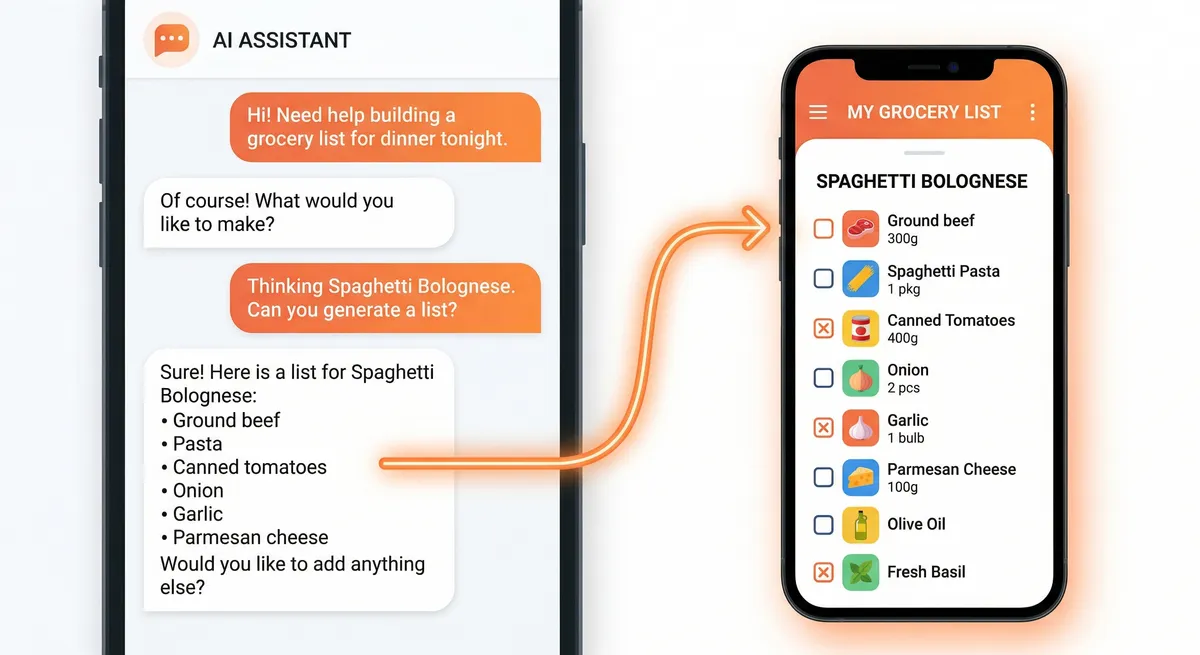
I have 11 lists running right now. AI can write your emails, summarize your meetings, and generate code. But ask it to put milk on your grocery list and you get a blank stare. That's the gap in ai agent list management today: your AI can reason about what you need, but it can't touch your lists. Most list apps don't let AI manage lists at all.
An APA survey from 2023 found that 36% of Americans feel overwhelmed by daily decisions. Lists are supposed to reduce that load. But managing the lists themselves becomes another task. What if your AI agent handled the busywork?
LystBot is built for exactly this. It has a REST API, an MCP server, and a CLI. Your AI agent connects to it, and "add eggs and butter to my grocery list" actually works. The items show up on your phone. Your partner sees them too.
TL;DR: Install LystBot, copy your API key, add one config block to Claude Desktop, and restart. Your AI agent can then read, create, and update your lists for real. This post covers an ai grocery list workflow, an ai todo list workflow, a 5-step setup guide, and a recurring automation that ties it all together.
AI Grocery List: Let Claude Handle Your Shopping
Grocery lists are the most obvious starting point because they happen while you're doing something else. You're cooking and realize you're out of cumin. You're reading a recipe and need eight ingredients. You're chatting with your AI about meal plans for the week.
Here's what an ai grocery list looks like with Claude Desktop and LystBot's MCP server:
You: "I want to make shakshuka this weekend. Add what I need to my grocery list."
Claude: "I've added these items to your Grocery list: canned tomatoes, bell pepper, onion, garlic, eggs, cumin, paprika, and feta cheese."
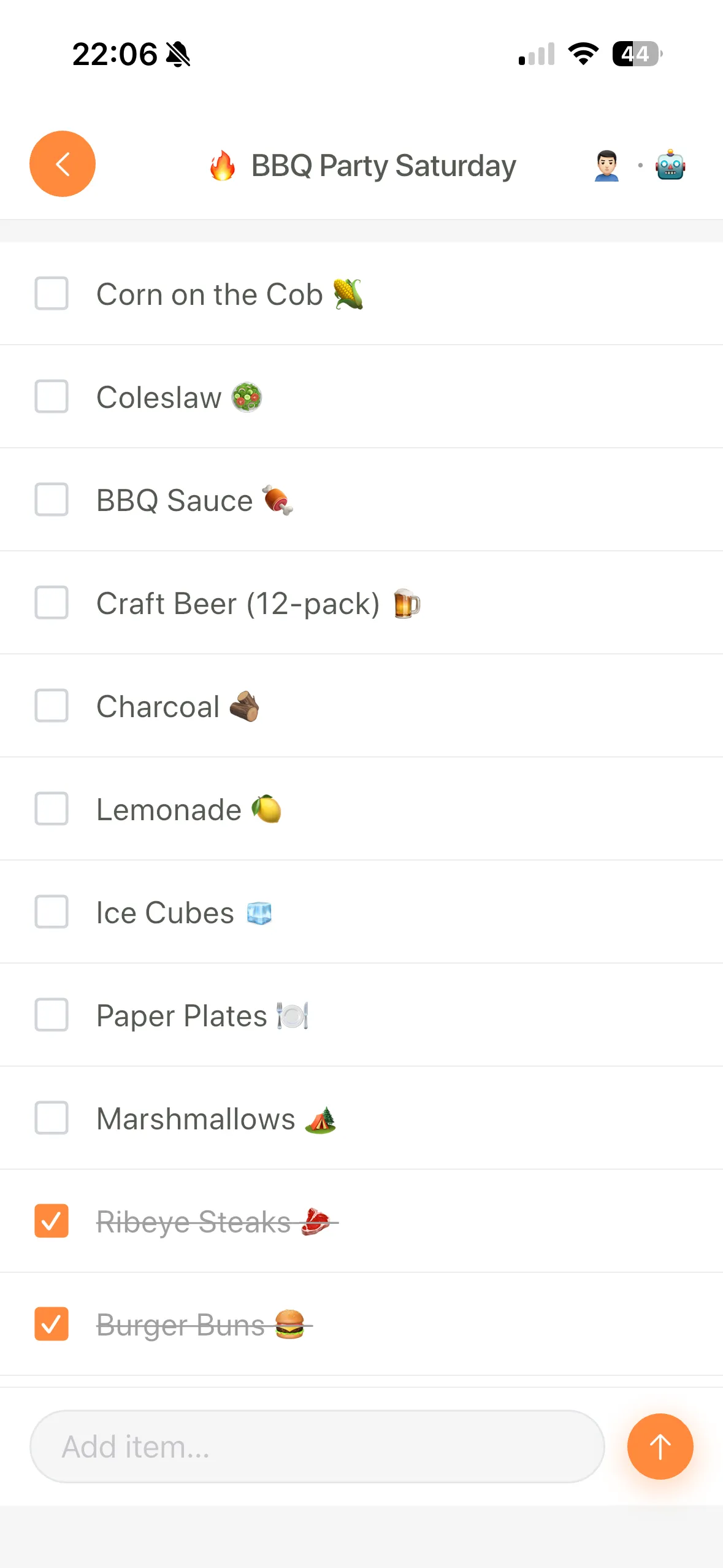
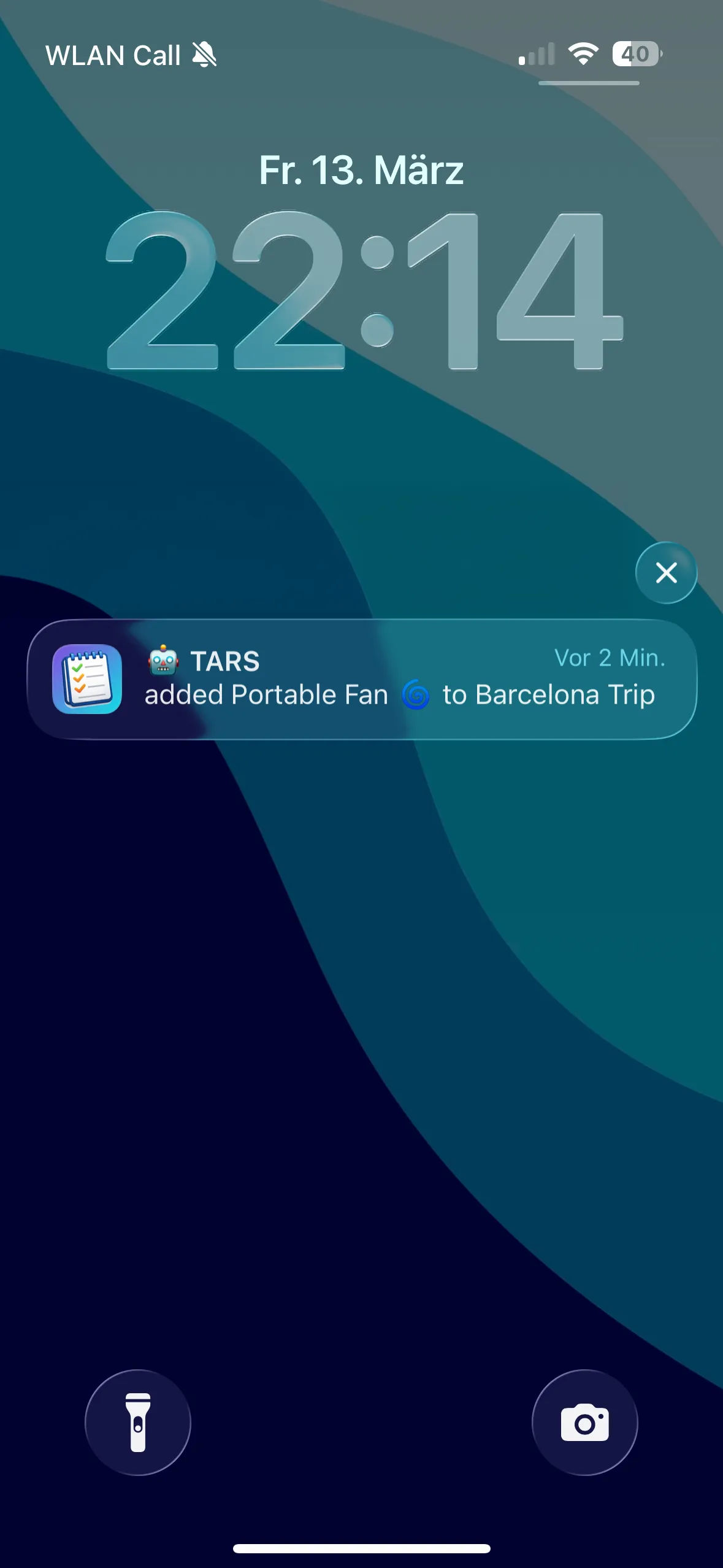
Your partner gets a push notification. The list is on both phones. Nobody had to open the app and type anything.
The same thing works through the API. If you're building a recipe parser or a meal planning tool:
curl -X POST https://lystbot.com/api/v1/lists/LIST_ID/items \
  -H "Authorization: Bearer YOUR_API_KEY" \
  -H "Content-Type: application/json" \
  -d '{
    "items": ["Canned tomatoes", "Bell pepper", "Onion", "Garlic", "Eggs", "Cumin", "Paprika", "Feta cheese"]
  }'
One request, all items land on the list. The API accepts arrays so you don't need to loop. We wrote a full walkthrough of the grocery use case with Claude: Using Claude as your MCP-powered grocery assistant.
Download LystBot free on the App Store and Google Play and try this yourself. The MCP server setup takes about two minutes.
AI Todo List: Turn Conversations into Tasks
Todo lists are trickier than groceries. Groceries are simple: items go on, items get checked off at the store. Todos have priorities, deadlines, and context. This is where letting AI manage lists earns its keep.
Say you just finished a meeting. You tell Claude:
You: "That meeting had three action items. Add 'send revised proposal to Sarah by Friday,' 'research competitor pricing,' and 'schedule follow-up for next Thursday' to my work todo list."
Claude: "Done. I've added all three to your Work Todo list."
Or through the CLI, which works well inside coding agents and terminal workflows:
npx lystbot add "Work Todo" "Send revised proposal to Sarah by Friday"
npx lystbot add "Work Todo" "Research competitor pricing"
npx lystbot add "Work Todo" "Schedule follow-up for next Thursday"
The items sync to the app on your phone. You can check them off from anywhere. If you share the list with a colleague using a share code, they see the same items in real time.
What makes an ai todo list better than typing items yourself? Context. You can say "I need to prep for the board meeting next week" and let the AI break that into specific tasks. It remembers what you discussed earlier in the conversation. It can batch-add items instead of making you think of each one separately.
AI Agent List Management: Setup in 5 Steps
Setting up LystBot's MCP server with Claude Desktop takes about five minutes. Here's the whole process.
Step 1: Download LystBot
Get it on your phone from the App Store or Google Play. Create a list or two so you have something to work with.
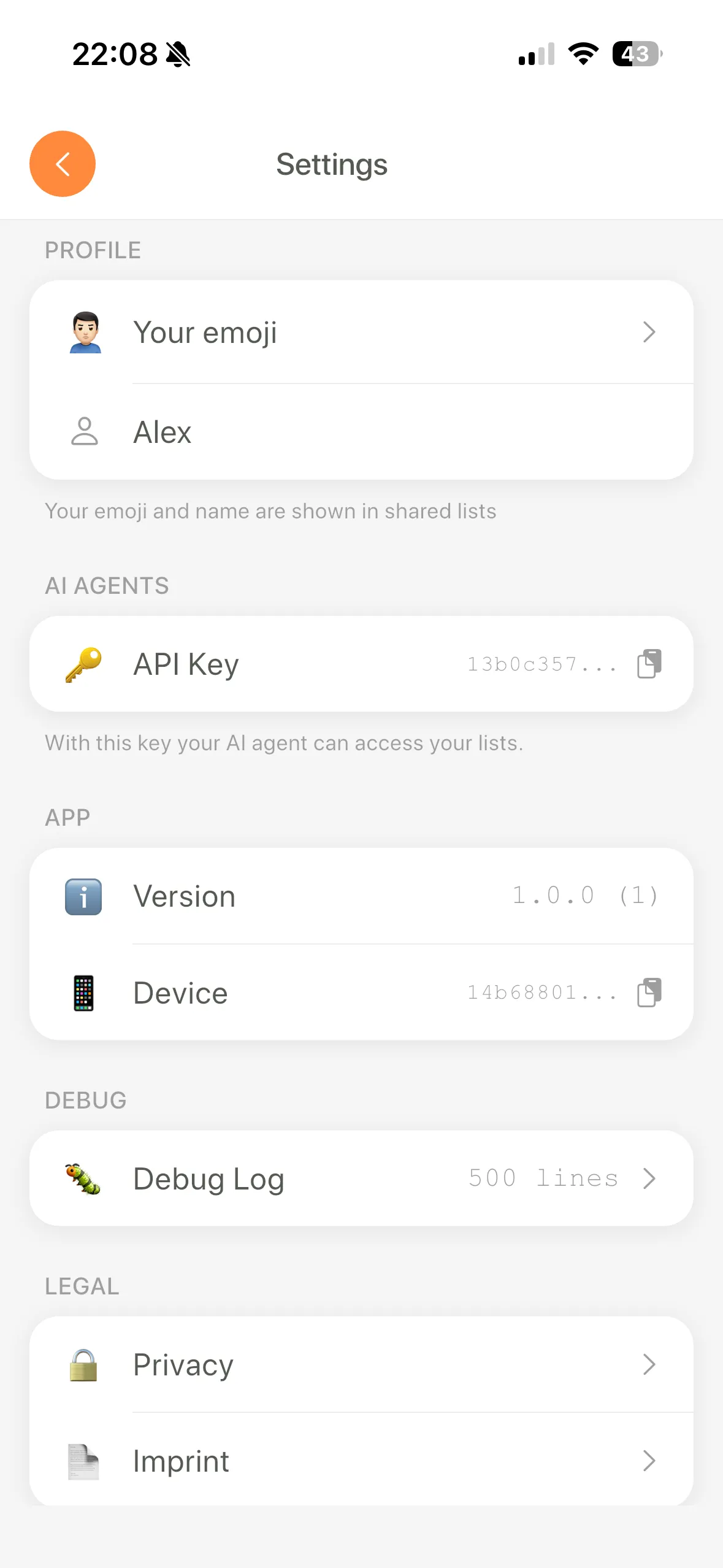
Step 2: Copy your API key
Open LystBot, go to Settings. Your API key is right there.
Step 3: Open your Claude Desktop config
Find claude_desktop_config.json:
- macOS:
~/Library/Application Support/Claude/claude_desktop_config.json - Windows:
%APPDATA%\Claude\claude_desktop_config.json
Step 4: Add the LystBot MCP server
{
  "mcpServers": {
    "lystbot": {
      "command": "npx",
      "args": ["-y", "lystbot-mcp"],
      "env": {
        "LYSTBOT_API_KEY": "your-api-key-here"
      }
    }
  }
}
Replace your-api-key-here with the key from step 2.
Step 5: Restart Claude Desktop and test
Close and reopen Claude Desktop. You should see a hammer icon in the chat input. Try:
"Show me all my lists"
If Claude returns your lists, you're set.
Common issues: If Claude says it can't find the tool, check the JSON for syntax errors (a missing comma breaks everything silently). If npx times out, your network might block npm registries. Try npm install -g lystbot-mcp and use the full path instead of npx. If you get a 401 from the API, your key has a trailing space. Copy it again.
Three ways to connect, one backend. The MCP protocol spec is open, so any AI tool that supports it can connect. That's Claude today, but Cursor, Windsurf, and others also work. The REST API handles automations. The CLI handles terminal workflows. All three sync to the same lists on your phone.
The Sunday Review: Recurring Automation
I'll be honest: the first version of this automation ran on a Saturday at 3am and created 47 duplicate grocery lists before I noticed. I'd messed up the cron syntax and it fired every minute instead of once a week. My wife opened the app to "Groceries Mar 08" through "Groceries Mar 08 (47)" and asked if I was okay. So: test your cron jobs.
The version that actually works made me stop thinking about list management entirely.
Every Sunday morning at 8am, a cron job creates a fresh grocery list for the week, pre-filled with staples:
#!/bin/bash
API_KEY="YOUR_API_KEY"
BASE="https://lystbot.com/api/v1"

LIST_ID=$(curl -s -X POST "$BASE/lists" \
  -H "Authorization: Bearer $API_KEY" \
  -H "Content-Type: application/json" \
  -d "{
    \"title\": \"Groceries $(date +'%b %d')\",
    \"emoji\": \"🛒\",
    \"type\": \"shopping\"
  }" | jq -r '.id')

curl -s -X POST "$BASE/lists/$LIST_ID/items" \
  -H "Authorization: Bearer $API_KEY" \
  -H "Content-Type: application/json" \
  -d '{
    "items": ["Milk", "Eggs", "Bread", "Bananas", "Chicken breast", "Rice", "Onions", "Olive oil"]
  }'
Set up with crontab -e and add 0 8 * * 0 /path/to/sunday-groceries.sh. You wake up, your grocery list is already started.
Then during the week, whenever you're chatting with Claude about meals or recipes, you say "add this to my grocery list" and the items pile up alongside the staples. By Saturday you have a complete list without ever having opened the app to type anything.
I also run a similar script that creates a fresh "Week of [date]" todo list every Monday with recurring items: review budget, check analytics, back up photos. The repeating tasks that otherwise live in my head.
The combination of scheduled automation (cron + API) and ad-hoc additions (AI agent + MCP) covers both the predictable and the spontaneous. That's what makes ai agent list management stick. For more automation ideas using the REST API, see our post on grocery list API automations.
Get Started
LystBot is free. The API is free. No paid tiers, no OAuth, no rate limit walls. Your AI agent can manage lists the moment you connect it.
Download LystBot free on the App Store and Google Play
Set up the MCP server using the docs, tell Claude to add something to a list, and see it appear on your phone. Once the workflow clicks, you won't go back to typing items by hand.